A living brand asset library
Turned a static brand PDF into a searchable, self-serve library — logos, colors, type and 229 icons any team can find and use without asking. The three to five asset requests a week that used to land on the design team went to zero.
Context
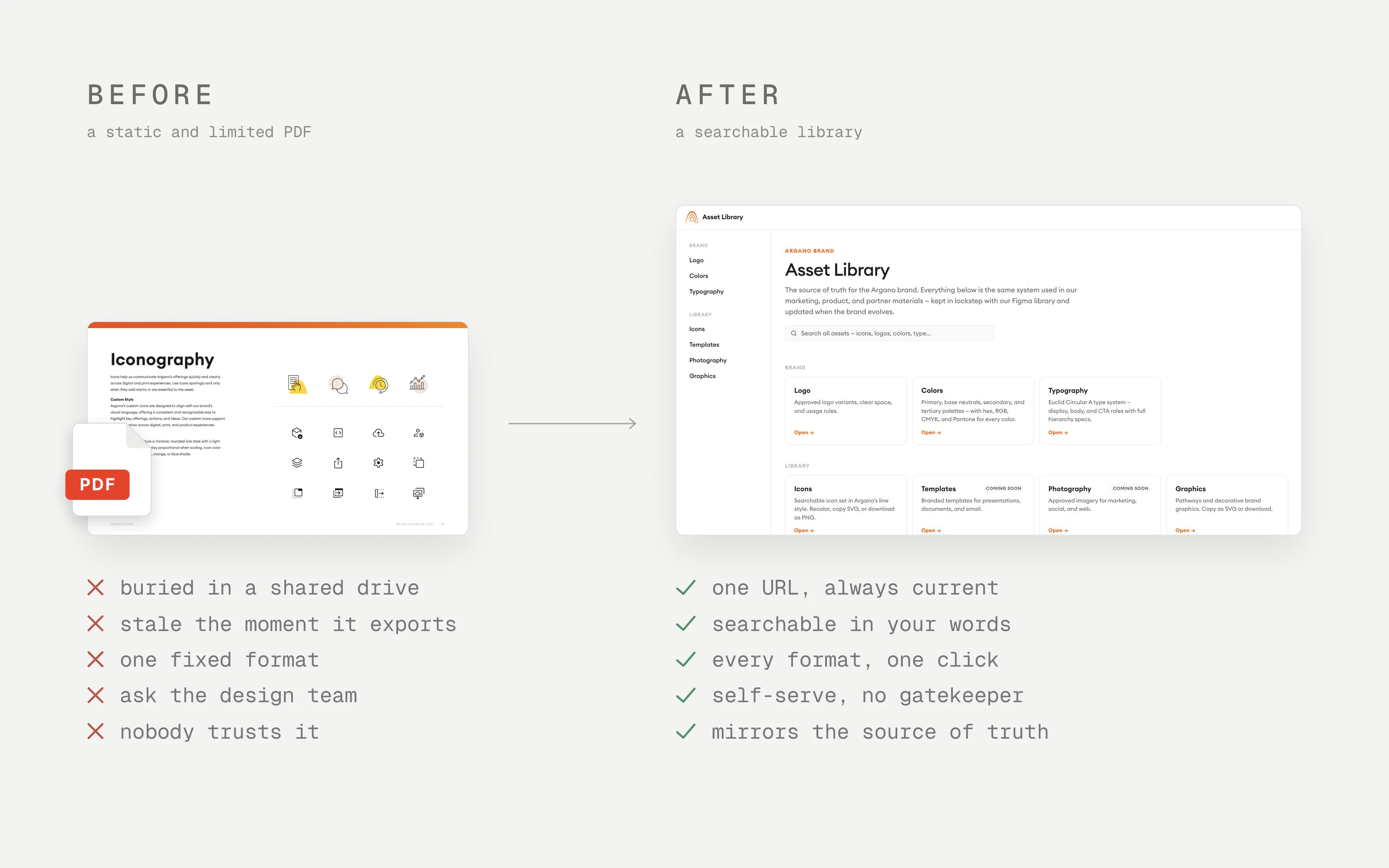
The brand guide lived in a PDF. Marketing, sales, and product all needed the same logos, colors, icons, and typography — and all of them dug through a shared drive, asked the design team, or guessed. The guide went stale the moment it exported, so even the people who found it weren’t sure it was current.
On paper, the problem was findability — hard-to-find assets. The real one ran deeper: no one trusted that what they found was correct.
My role
I owned design end to end — research, information architecture, interface design, and the front-end build, working with the brand owners to define what “correct” meant for each asset.
Research & insight
I watched people from three teams hunt for assets. Two things stood out:
- They searched by keyword and use-case (“dark logo,” “icon for security”), not the brand team’s categories.
- Friction wasn’t just finding an asset — it was getting it in the right format (hex for a deck, CMYK for print) and trusting it was current.
So the job wasn’t a prettier PDF. It was a single, trustworthy, self-serve source in the users’ language.
Process & decisions
A few decisions shaped it:
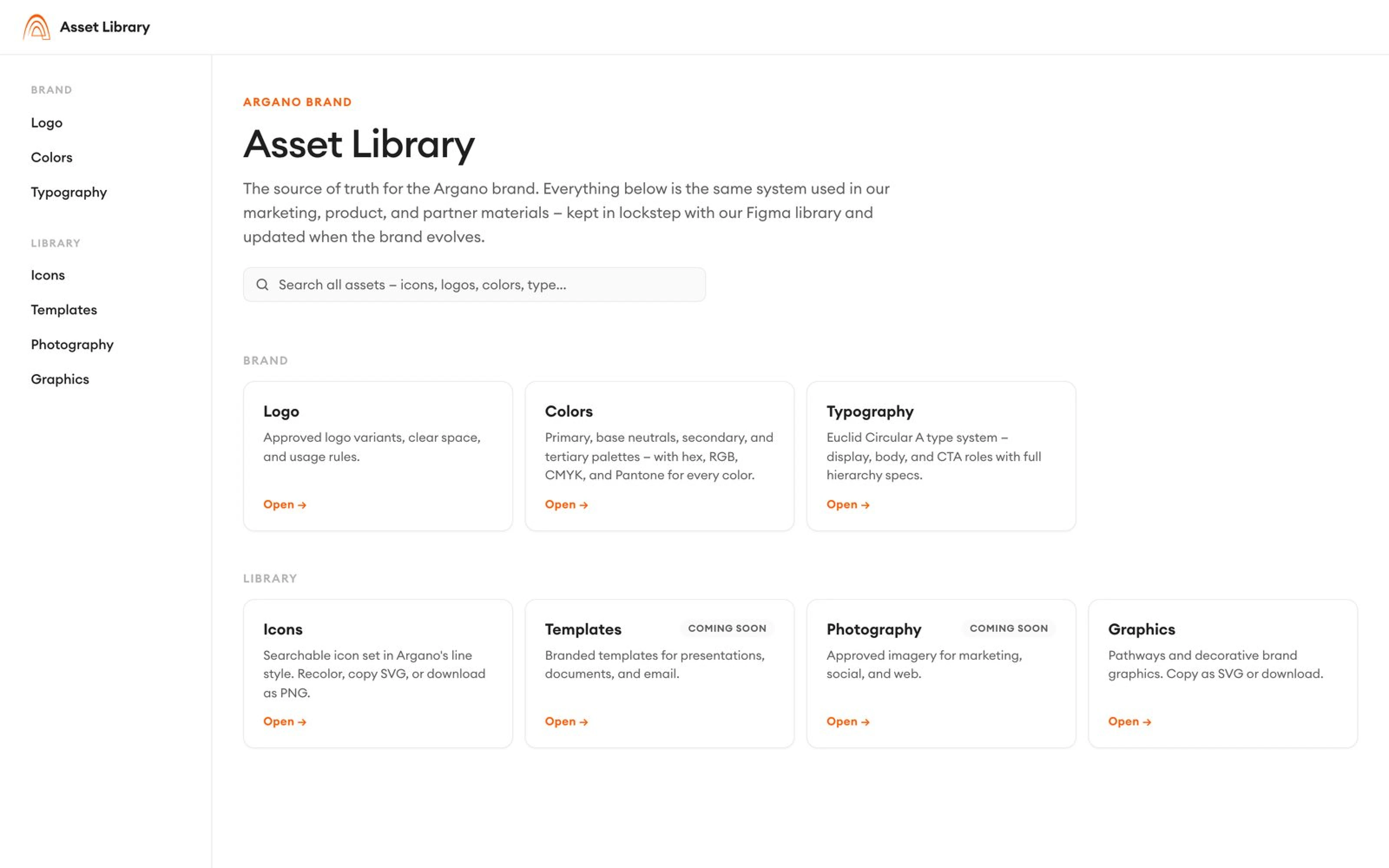
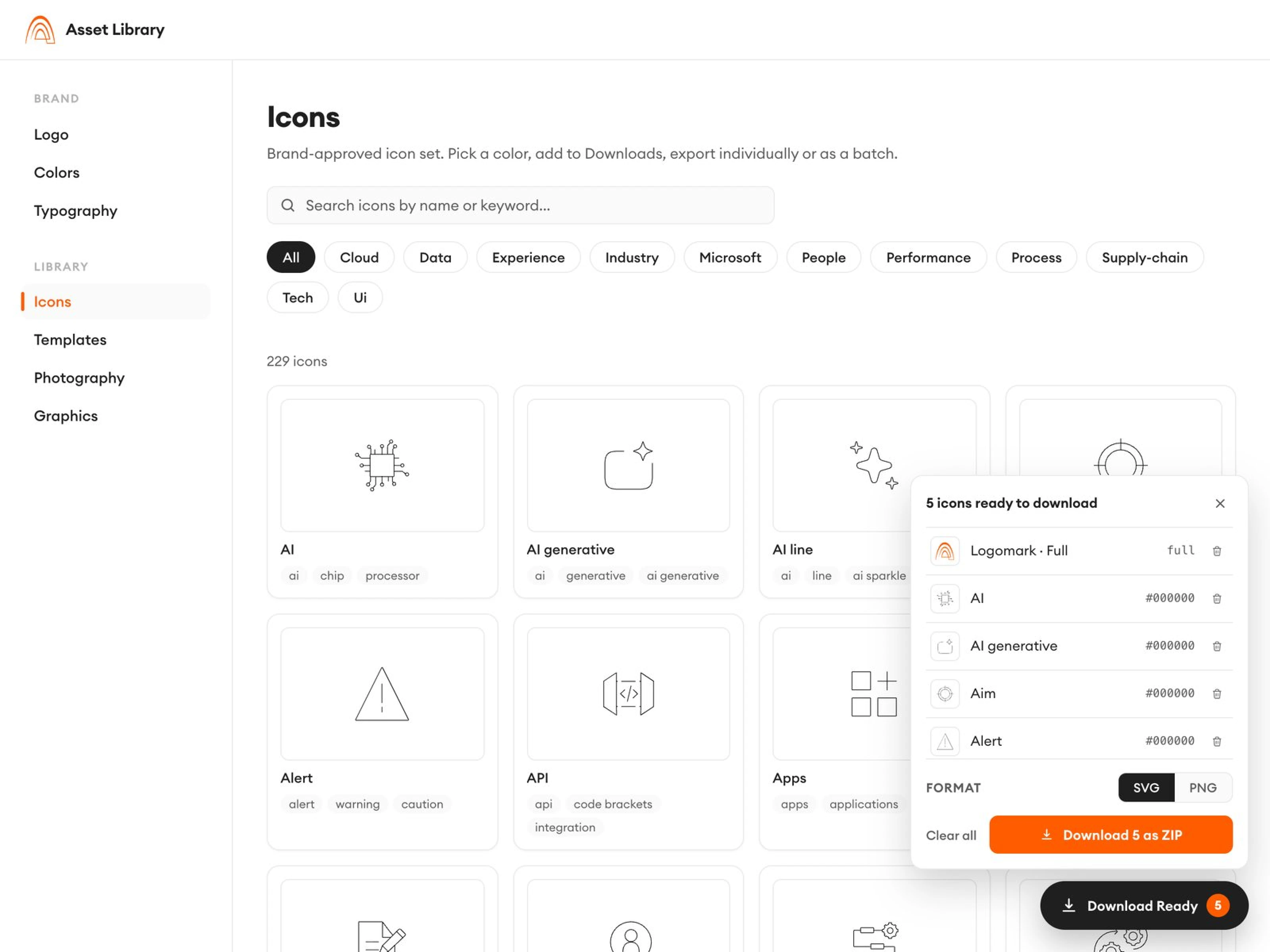
- Search-first, not catalog-first. A search box and filterable grid meet people where they start.
- Categories from a card sort, not the brand team’s mental model — labels in users’ words.
- Every asset copy-ready in every format. Colors show hex, RGB, CMYK, and Pantone, one-click copy.
- It mirrors the source of truth automatically. The canonical source is the Argano design system in Figma, which I also built and maintain. The library syncs its logos, color tokens, and icons straight from it — when the brand evolves in Figma, the library follows. No manual re-export, no stale copies. That’s what solved the trust problem.
- The brand is context for AI, not just people. Alongside the library I wrote the brand up as loadable context for AI assistants — colors, typography, logo rules, usage constraints — so AI-assisted work comes out on-brand too. Humans get a self-serve library; AI tools get the same brand as documentation they can follow.
Outcome
The brand lived in a stale PDF: people dug through shared drives, asked the design team — three to five requests a week — or guessed, and couldn’t trust that what they found was current.
One searchable URL: every asset copy-ready in the right format, synced straight from Figma so it’s always current. The design team stopped fielding one-off requests.
The brand stopped being a document people distrusted and became something teams just use — and if the brand shifts after they’ve grabbed an asset, the same URL already reflects the change, so re-checking or re-downloading always yields the latest.
The lasting win is the model: a brand resource that maintains its own accuracy — Figma is the source, everything downstream follows — so consistency holds without anyone policing it, whether the hands on the asset are human or AI.
Why this mattered to the business
A brand only works if people can actually use it. Every deck, proposal, and campaign needs the same assets — and when getting them takes a designer’s help, both sides pay: the team waits, and design loses hours to requests instead of design work. Making the brand self-serve removed that bottleneck; syncing it from Figma removed the risk of off-brand assets slipping into client-facing work. And because the brand also ships as loadable AI context, work produced with AI assistants starts on-brand instead of needing correction after the fact.
Working on something similar? I’d like to hear about it.